
Disclosure: Viking IPTV sells its own IPTV service, and Viking IPTV and JellyFin IPTV share common ownership. Everything below comes from JellyFin IPTV’s own website, read on October 11, 2026; no streaming tests were run.
This jellyfin iptv review finds four listed plans, but key game-day details still need checking. You can compare its published features and terms before choosing.
Check channel information, renewal terms, and setup details against your needs. We also compare the listed options with Viking IPTV.
JellyFin IPTV at a glance
Choosing a live TV service for game day can be tricky when details are spread across a website. This JellyFin IPTV review summarizes what the service says it offers, helping you decide if it fits your needs.
JellyFin IPTV presents itself as a subscription service for watching live television. Its listed regions include the USA, UK, Canada, Europe, Asia, and MENA. Regional listings also name France, Turkey, Greece, Belgium, Netherlands, Arabic, Latin America, India, and Germany, suggesting a broad intended audience.
This is a website-based review, not a streaming test. It assesses published information, not verified picture quality, reliability, or game-day performance.
What’s included with JellyFin IPTV
The site lists live TV, VOD, quality labels, device categories, an app, and an EPG. See the earlier note for its channel and VOD figures.
Quality terms include 4K, HD, Full HD, FHD, 4K Ultra HD, and Ultra High Definition. These are website labels, not verified playback results.
Listed devices include Smart TVs, Android, iOS, Firestick, Android boxes, MAG devices, and PC. IPTV Smarters is the named app.
An EPG is listed, but catch-up viewing is not stated. Other listed features include anti-freeze technology, a global CDN, predictive content prefetch, instant channel switching, daily VOD updates, and automatic subscription renewal.
How much does JellyFin IPTV cost? Plans and prices
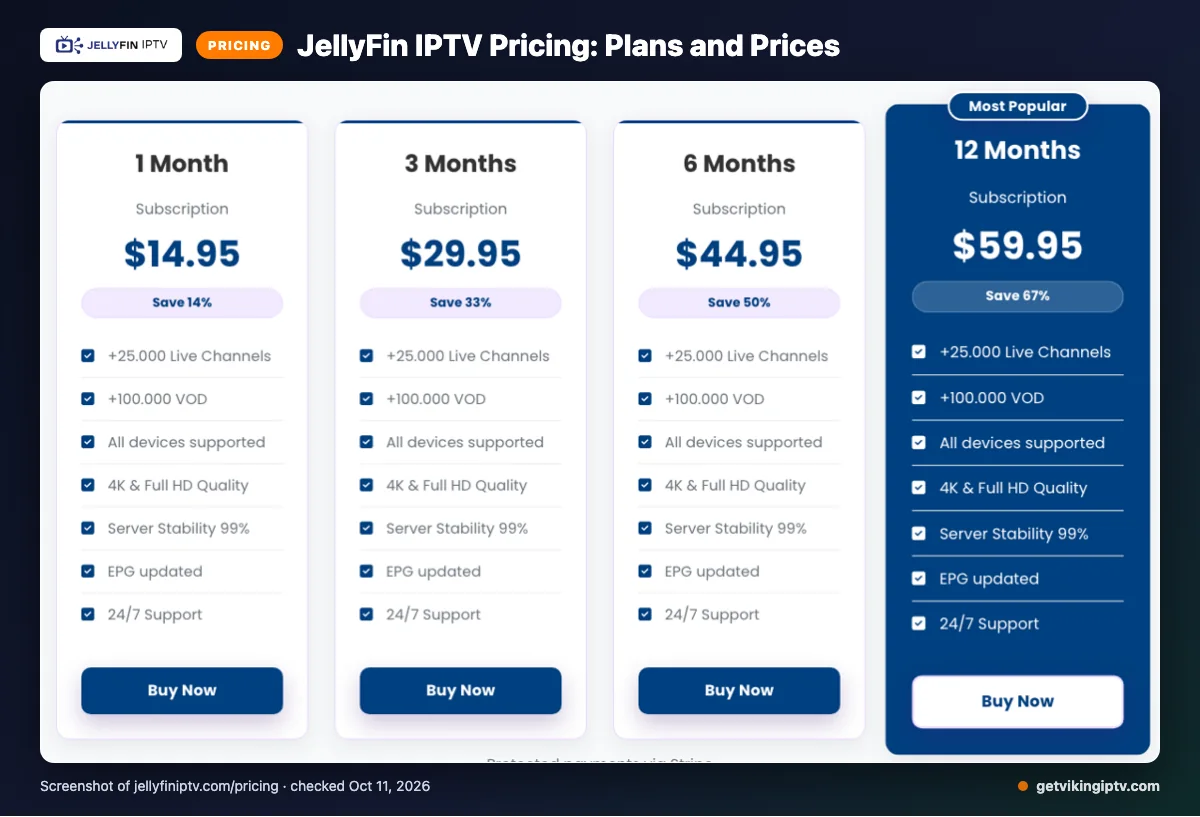
JellyFin IPTV lists four plans, each allowing one device to stream at a time. The prices below are shown as listed; the website does not state a currency code.
| Plan | Duration | Listed price (currency code not stated) | Streaming limit |
|---|---|---|---|
| 1 Month Subscription | 1 Month | $14.95 | 1 device at a time |
| 3 Months Subscription | 3 Months | $29.95 | 1 device at a time |
| 6 Months Subscription | 6 Months | $44.95 | 1 device at a time |
| 12 Months Subscription | 12 Months | $59.95 | 1 device at a time |
We checked the website on 2026-10-11. Extra connections are available for purchase, but their cost is not listed.
JellyFin IPTV trial, refund policy and payment options
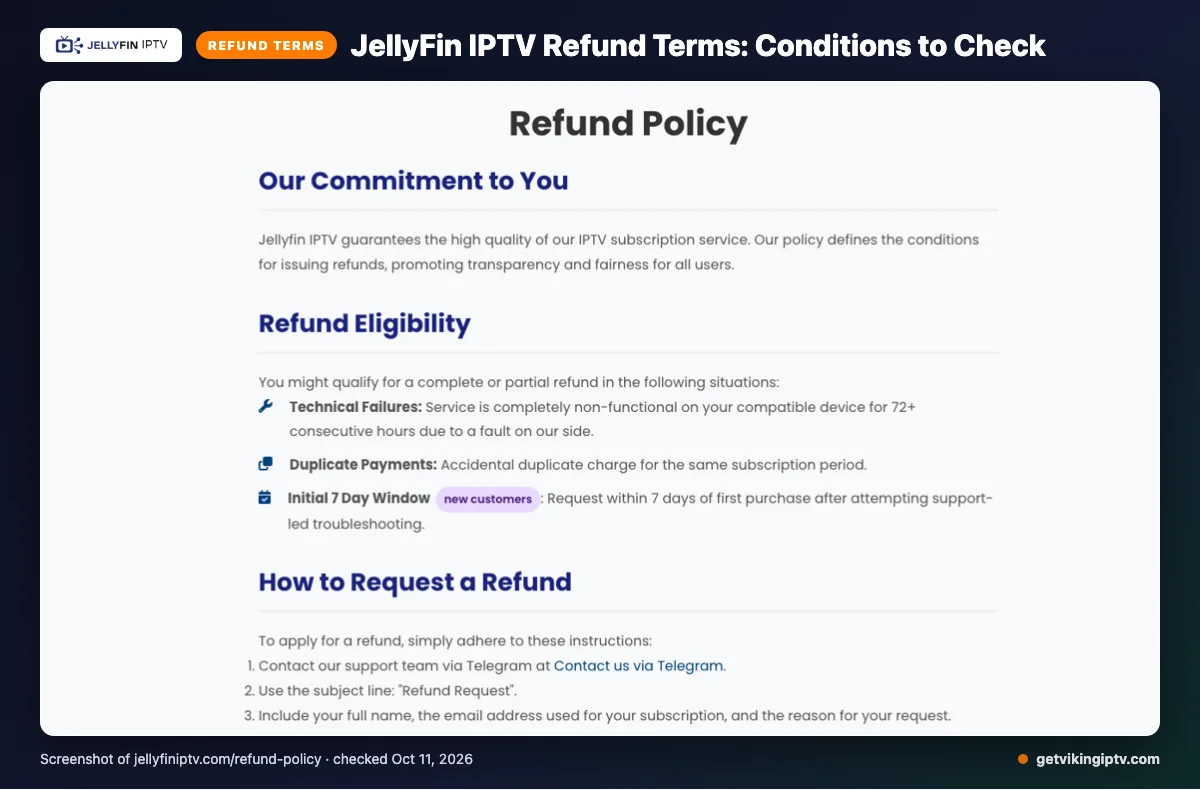
We did not find a free trial on the pages checked. The listed refund terms may cover service fully unusable on a compatible device for 72 or more consecutive hours because of a fault on the provider’s side, duplicate payments, or new customers requesting a refund within seven days after support-led troubleshooting.
Refunds exclude dissatisfaction with channels or content, internet problems, Terms of Service violations, and geo-blocking beyond the provider’s control. Approval is required before refunds are initiated, and funds may take 5–10 business days to appear.
Payment options listed are Visa, MasterCard, American Express, PayPal, and Stripe.
The pros and cons of JellyFin IPTV
For game day, weigh the listed options against your household’s needs. These are website claims, not independently verified benefits.
Pros
- Several subscription lengths give you choices for different commitment levels.
- Listed viewing features and payment methods offer details to compare before signing up.
Cons
- Each plan allows one device to stream at a time, which may limit shared viewing.
- The site does not explain how its technical features affect viewing or state extra-connection pricing.
Quick tip: Compare the plan limit with how you watch on game day.
Is JellyFin IPTV safe and legal to use?
The legality of an IPTV service depends on content licensing and the laws where you live. JellyFin IPTV’s legality cannot be determined from its feature list alone. Licensing can vary by the content offered and your location.
The website’s technical claims do not establish content rights or independently verified safety. They also do not confirm how your information or device may be protected. Before subscribing, review the service terms and check the rules that apply locally. If licensing or data-handling details are unclear, pause and seek reliable guidance before paying.
Getting started: how to sign up for JellyFin IPTV and set it up
Start on JellyFin IPTV’s official website and review the published plan and terms before choosing. Check the plan details above against how you watch on game day.
- Choose a plan only after reviewing its terms and details.
- Use the payment options presented during checkout.
- On a device you own, follow the service’s instructions for installing its listed app. Avoid assuming setup steps are identical across devices.
- Use the setup details supplied by the service, then open the program guide. Check the listing you want before kickoff.
If instructions are unclear, contact the service through its listed email, live chat, or Telegram support methods.
Quick tip: Set it up once before game day, then check the guide ahead of kickoff rather than during the opening play.
Viking IPTV vs JellyFin IPTV: side by side
Compare the listed terms below, but don’t assume the plans have identical conditions.
| Category | JellyFin IPTV | Viking IPTV |
|---|---|---|
| Plans | 1 month: $14.95; 3 months: $29.95; 6 months: $44.95; 12 months: $59.95. One device streams at a time. | One-connection plans: 1 month $14.95; 3 months $29.95; 6 months $39.95; 12 months $59.95; 24 months $99.95. |
| Trial | We didn’t find a free trial on the pages checked. | 24-hour trial. |
| Refund | See the eligibility and approval terms above. | 7-day refund. |
| Devices | Listed categories include smart TVs, mobile devices, Firestick, Android boxes, MAG devices, and PC. | Listed categories include smart TVs, streaming devices, phones, tablets, computers, and MAG boxes. |
Is JellyFin IPTV right for you? Who should pick it and who should look elsewhere
It may suit you if its stated regions match where you watch. Check whether its listed app and plan terms fit your setup.
For live sports, choose it only if the published details give enough confidence for your events. Look elsewhere if you need confirmed channel-by-channel sports listings or clear answers the site does not publish.
Treat it as a conditional option, not an automatic match. Your choice depends on whether its listed details meet your priorities and whether remaining gaps feel acceptable.
Want another option to compare? We invite you to try Viking IPTV’s 24-hour free trial before deciding.
New to Viking IPTV? See the setup guide, compare plans and prices, or check the channel list.
Frequently Asked Questions
Does JellyFin IPTV list specific sports channels?
We did not find a specific sports-channel lineup in the pages checked. The website claims over 25,000 live TV channels, but that figure does not identify which sports channels are included. Before choosing, look for channel names that match the games you follow, such as your local team’s broadcasts or playoff coverage.
Does JellyFin IPTV renew subscriptions automatically?
Yes. Automatic subscription renewal is listed among JellyFin IPTV’s features. The pages checked do not give details about renewal timing or how to turn renewal off. Review the current terms and payment details before subscribing, so you understand how your plan continues after its listed duration.
What support channels does JellyFin IPTV list?
JellyFin IPTV lists email, live chat, and Telegram as support channels. The pages checked do not specify response times or support hours. If you need help before kickoff, check the available contact options and ask any setup or billing questions before choosing a plan.
Does JellyFin IPTV publish detailed app installation instructions?
We did not find detailed app installation instructions in the pages checked. The website lists IPTV Smarters and device categories including Smart TVs, Android, iOS, Firestick, Android boxes, MAG devices, and PC. Check the provider’s current setup information for instructions that match your device before subscribing.
Can you check the program guide before choosing a plan?
JellyFin IPTV says an Electronic Program Guide, or EPG, is available and updated. The pages checked do not explain whether you can preview it before subscribing. Ask the provider whether you can see the guide first, especially if you want to confirm game schedules or channel listings.
Check the Details Before Game Day
JellyFin IPTV lists several plan lengths, one device streaming at a time, an EPG, and automatic renewal. Before choosing, confirm the sports channels you need, renewal terms, and setup steps directly with the provider.
Compare the listed price and plan duration with your budget, and make sure the terms suit your household.
We invite you to start the free 24-hour trial with Viking IPTV.