
Disclosure: This review is published by Viking IPTV, which sells its own IPTV service. Viking IPTV and IPTV UK share common ownership. It is based on IPTV UK’s website pages checked on October 10, 2026 and does not include streaming tests.
This iptv uk review lays out the service’s listed channels, plans, devices, and game-day details. Use it to check what fits your setup before paying.
You can also compare IPTV UK’s details with Viking IPTV before choosing a service.
What is IPTV UK, and who is it for?
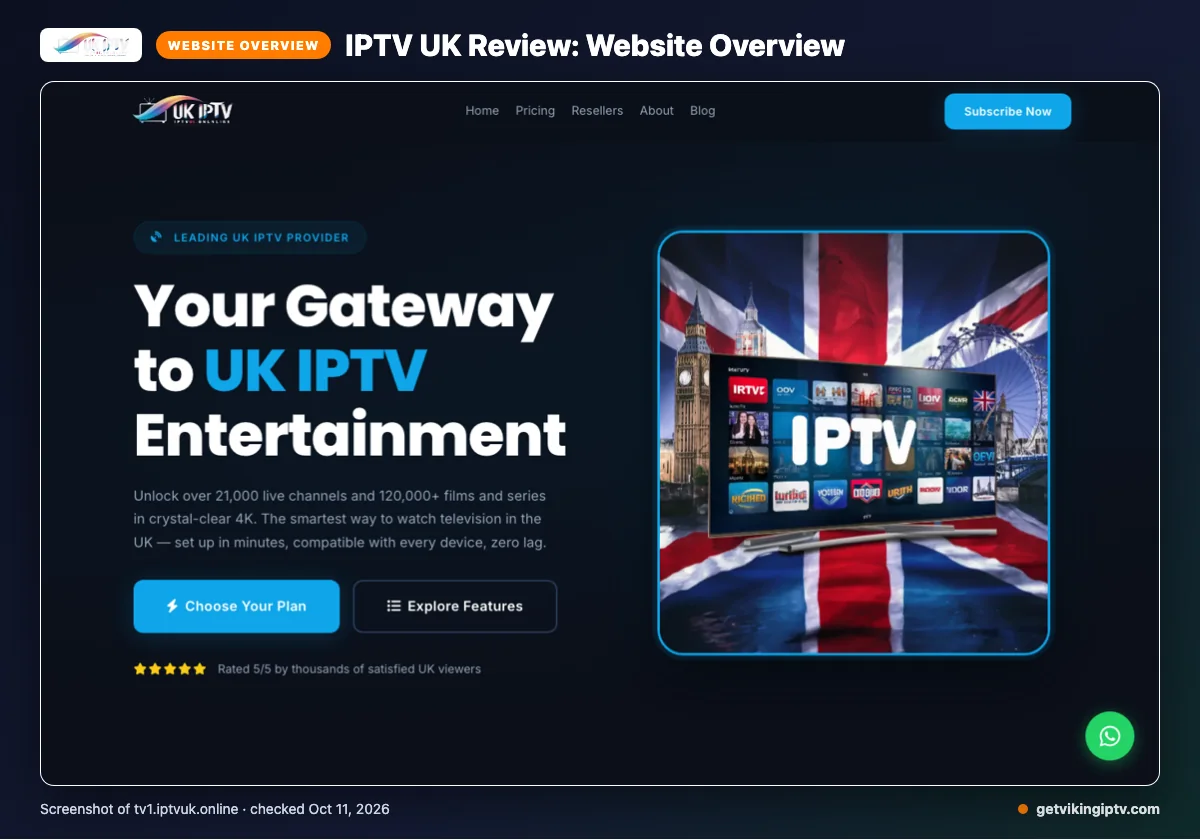
IPTV UK is a service whose website describes coverage across the UK, US, and worldwide regions. You can review its claims on the official IPTV UK website, including coverage in Canada.
That stated reach may interest you if you want regional channels and live sports access for game day. This review checks what the website says; it does not report a firsthand stream test or confirm performance.
Quick tip: Before game day, check whether the regions you care about appear in the service’s stated coverage.
What does IPTV UK offer?
IPTV UK claims more than 21,000 live channels and 120,000 films and series. It lists 4K, Full HD, and HD quality, plus pay-per-view and live sport. The site says new content arrives weekly at no extra charge.
Named devices include Amazon Firestick, Fire TV, Android-based TVs, phones, tablets, Apple iPhone, iPad, Mac, Samsung, LG, and Sony Smart TVs, and Google Chromecast. Match your screen to the named device list before choosing a player. IPTV UK’s website does not list app names, so check which player to use before subscribing.
The integrated EPG provides live schedules, upcoming shows, and catch-up information. The site also lists M3U and Xtream Codes support. Its encryption and 99.9% server availability are website claims, not independently verified here.
What are IPTV UK’s plans and prices?
IPTV UK lists eight options, with different durations, prices, and connection counts.
| Plan label | Duration | Price | Connections |
|---|---|---|---|
| 1 MONTH | 1 month | £9.99 | 1 connection |
| 1 MONTH | 1 month | £14.99 | 2 connections |
| 12 MONTHS | 12 months | £49.99 | 1 connection |
| 12 MONTHS | 12 months | £74.99 | 2 connections |
| 6 MONTHS | 6 months | £29.99 | 1 connection |
| 6 MONTHS | 6 months | £49.99 | 2 connections |
| 3 MONTHS | 3 months | £19.99 | 1 connection |
| 3 MONTHS | 3 months | £29.99 | 2 connections |
Website checked October 10, 2026.
Quick tip: Compare the connection count as well as the duration when reviewing the table.
Does IPTV UK offer a trial, refunds, and payment options?
A free trial was not found on the pages checked. The phrase “Perfect for a trial run” appears, but no free-trial offer is stated.
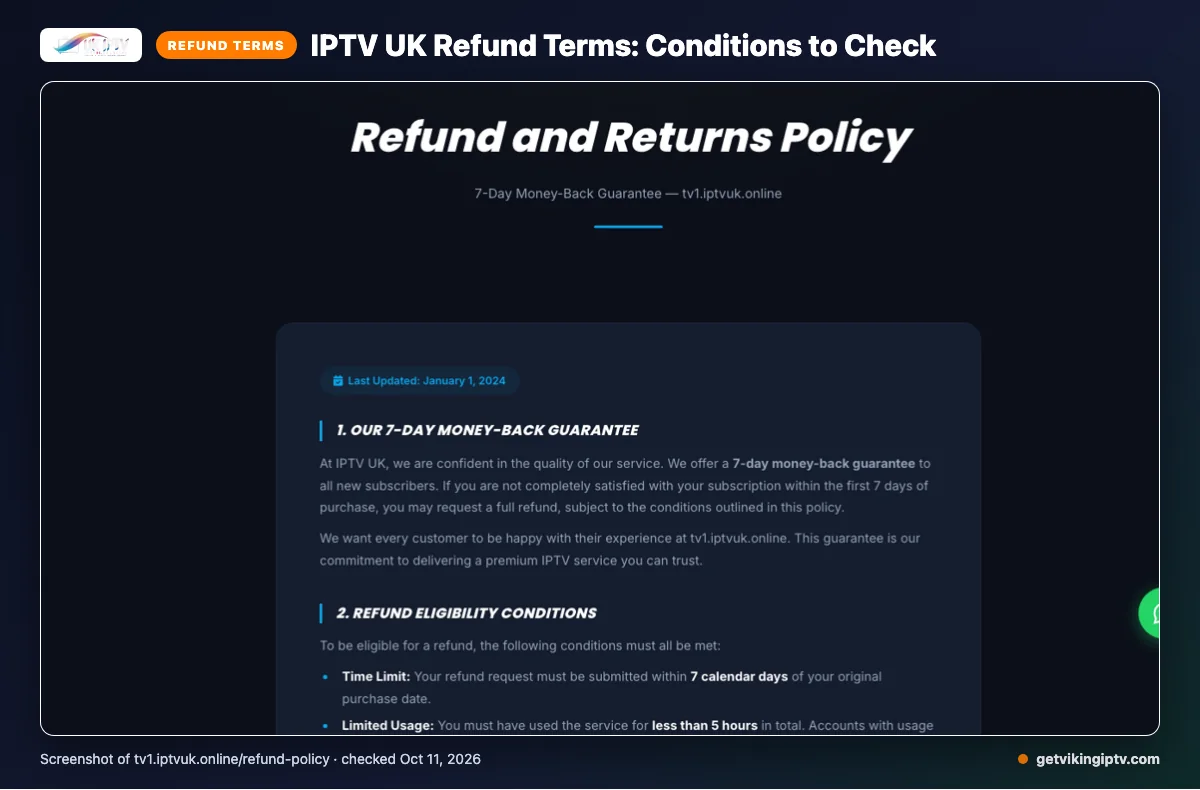
The refund policy offers a seven-day money-back guarantee for new subscribers, but only first-time subscribers qualify. Requests must be made within seven calendar days, with less than five hours of service use, a valid reason, and proof of purchase. Other exclusions apply.
Listed payment methods are Credit / Debit Card, PayPal, and Cryptocurrency. Phone and WhatsApp details are blank in the refund policy.
Save proof of purchase and check the refund conditions before paying.
What are IPTV UK’s pros and cons?
IPTV UK lists several plan durations and connection choices, along with device and guide details. Its website also states regional coverage.
What are the pros?
- Several plan durations and connection options are listed.
- Regional coverage is stated on the website.
- Named devices and electronic guide information are provided.
What should you check?
- App names are not listed on the website.
- Free-trial availability is not confirmed.
- Refund eligibility has several conditions, as noted above.
Is IPTV UK legal and safe?
IPTV legality depends on content licensing and local law. Rules can vary by location, and rights may differ by program. Check that the provider has rights to distribute the channels and shows you plan to watch. Review the rules where you live before subscribing.
Any security wording on a provider’s website is a provider claim, not an independent safety assessment. It does not guarantee that the service or your information is safe. Check the licensing basis and local rules before subscribing.
How do you sign up and set up IPTV UK?
Choose a plan, complete signup using the website’s current instructions, then follow the provider’s setup directions. Before paying, match the listed connection count to how you plan to watch.
- Review the plans and select the connection option that fits your household.
- Use a payment method shown on the website and follow its current signup steps.
- Follow the provider’s setup directions and enter the access details it supplies into a compatible player.
- Open the service and guide before kickoff to check that setup is complete.
Quick tip: Set it up once before the match, not during the opening minutes.
If you want another option to consider, we invite you to try the Viking IPTV 24-hour free trial.
How does IPTV UK compare with Viking IPTV?
The main differences are plan pricing, trial details, refund terms, and named devices.
| Category | IPTV UK | Viking IPTV |
|---|---|---|
| Plans | See the plan table above for GBP prices. Options cover one, three, six, or twelve months, with one or two connections. | One connection: one month $14.95; three months $29.95; six months $39.95; twelve months $59.95; twenty-four months $99.95. |
| Trial | A free trial is not confirmed on the pages checked. | 24-hour trial. |
| Refund | Conditional refund policy; see the terms above. | Seven-day refund period. |
| Named devices | Amazon Firestick, Fire TV, Android-based TVs, phones, tablets, iPhone, iPad, Mac, Samsung, LG, and Sony Smart TVs, and Google Chromecast. | Firestick, Fire TV, Android TV, Google TV, Samsung and LG Smart TVs, iPhone, iPad, Apple TV, Android phones, Windows, Mac, and MAG box. |
Compare each service’s device list against the screen you plan to use.
Want to check Viking IPTV on your own Wi-Fi? We invite you to try the 24-hour free trial.
Who may choose IPTV UK, and who should look elsewhere?
IPTV UK may suit you if its listed coverage, plan options, and named device support fit your game-day setup. That makes it a conditional fit based on the details available, not a guarantee of how it will perform for you.
If a confirmed free trial or published app names are must-haves, compare other services first. The refund conditions already outlined may also feel less straightforward if you prefer simpler terms.
Check the details that matter to your household before choosing.
New to Viking IPTV? See the setup guide, compare plans and prices, or check the channel list.
Frequently Asked Questions
Do two IPTV UK connections mean two devices can stream at the same time?
IPTV UK lists plans with two connections, but its pages checked do not clearly say whether both can stream simultaneously. The connection count alone does not confirm how the provider applies device limits or concurrent viewing. Before choosing a two-connection plan for separate screens, ask IPTV UK to confirm its rules.
Does IPTV UK publish a channel list before signup?
IPTV UK claims 21,000+ live channels, but the pages checked did not provide a complete channel list before signup. Ask about channels you care about, especially local stations or a specific sports package, before paying. That helps you confirm whether your game-day lineup is included.
Can you use IPTV UK while travelling outside the listed coverage regions?
IPTV UK states that its coverage includes the UK, US, and worldwide channels, with several regions named. The pages checked do not confirm whether you can access the service while travelling or explain any location restrictions. Before your trip, ask IPTV UK about access from your destination and check the rules where you will watch.
Does IPTV UK explain what happens after a subscription expires?
The pages checked did not explain what happens after an IPTV UK subscription expires. They list plans with different durations, but do not clarify whether access stops automatically, renews, or requires another step. Check the current terms or ask IPTV UK before choosing a plan, so you know what to expect when its term ends.
Are setup instructions available for every device listed?
IPTV UK names devices such as Amazon Firestick, Android-based TVs, phones, tablets, and smart TVs. The information checked does not provide setup instructions for each listed device. Before subscribing, ask which app or setup steps apply to your device, then follow the provider’s current directions to get ready for kickoff.
Check the details before game day
Match the listed connection count, device details, and plan duration to how you watch. Confirm any channel or setup questions with IPTV UK before paying.
For another option, we invite you to start the free 24-hour trial.